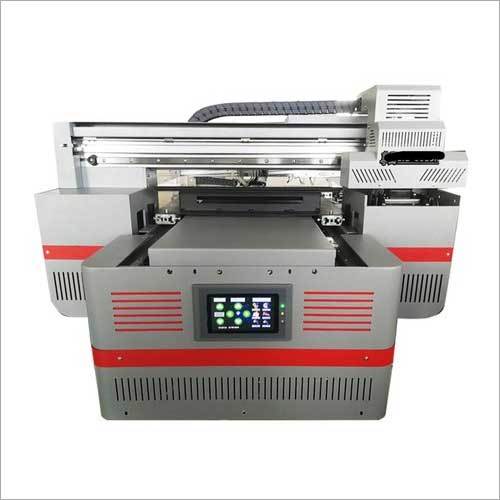
About Single Phase A3 Mobile Cover Printer
Owing to rich market experience, we are offering a wide ambit of Single Phase A3 Mobile Cover Printer. It is method forprinting phonecovers today. Along with this, provided printer is usedto fulfill vast range which includes mobile cover sublimation and printingto be done. Single Phase A3 Mobile Cover Printer is suited for mobile cover, plate, mug etc. It ensures a user-friendly customization tool.It can easily print images and photo.
Specification
|
Print Resolution
|
720x720,720x 1440
|
|
Brand
|
Omagic
|
|
Speed
|
6 covers in 15 mints
|
|
Cover Pattern Type
|
TPU,Hard,Silicon etc
|
|
Head Quantity
|
1
|
|
Max Printing Width
|
30 x 40 cm
|
|
Maximum Thickness
|
18 cm
|
|
Model/Type
|
3050
|
|
Weight
|
80 kgs
|
|
Phase
|
single
|
|
Print Head
|
tx800
|
Effortless Printing on a Wide Range of SurfacesEquipped with direct-to-substrate UV printing technology, the Single Phase A3 Mobile Cover Printer offers unmatched flexibility. Compatible with various case sizes (up to 10 mm thickness) and flat substrates, it enables professionals to easily expand their offerings to customized mobiles covers, leather goods, and promotional items.
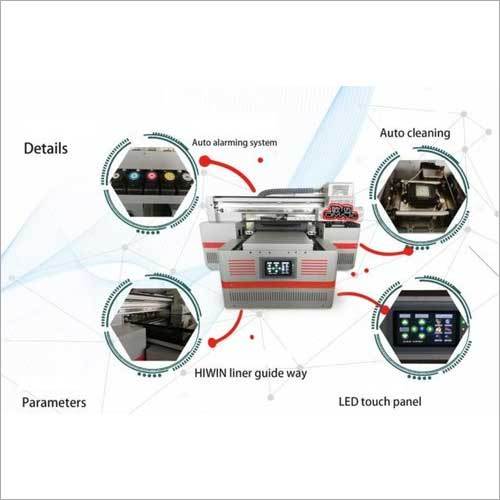
Advanced Performance with User-Friendly FeaturesThis printer is built to simplify your workflow. Its touchscreen LCD display, multi-language interface, automatic/manual head cleaning, and UV LED instant curing ensure both efficiency and convenience. Overheat and surge protection safeguard your investment, while whisper-quiet operation maintains a pleasant work environment.
FAQs of Single Phase A3 Mobile Cover Printer:
Q: How do I operate the Single Phase A3 Mobile Cover Printer?
A: The printer operates through a user-friendly LCD digital panel with touchscreen controls and supports English, Hindi, and Chinese. Simply connect via USB 2.0 to a Windows-based computer, load your design in supported formats, and follow the on-screen instructions. The built-in software guides you through the entire setup and printing process.
Q: What file formats and software are supported?
A: The printer supports file formats including JPG, PNG, BMP, TIFF, and PDF. It is compatible with Microsoft Windows XP, 7, 8, and 10, allowing users to work easily with popular graphic design software that exports these formats.
Q: When should I perform head cleaning, and how does it work?
A: Head cleaning can be activated automatically or manually. It is advisable to perform a cleaning cycle if print quality decreases or after long idle periods. The cleaning process can be initiated directly from the printers digital panel, maintaining optimal print performance.
Q: Where can this printer be used, and what are its typical applications?
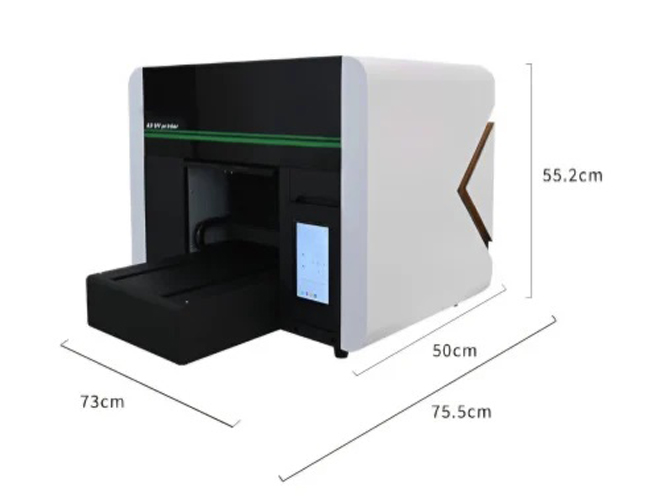
A: Designed for businesses, print shops, and manufacturers, the printer is ideal for customizing mobile covers, promotional gifts, leather items, and other flat surfaces. Its compact dimensions and robust construction make it suitable for use in professional studio or workshop settings.
Q: What is the benefit of UV-curable ink and instant curing system?
A: UV-curable inks dry instantly using the built-in UV LED curing system, resulting in vibrant, durable prints that resist scratches and fading. This technology eliminates waiting time, improves productivity, and ensures long-lasting results on a variety of materials.
Q: How can I ensure safety while operating the printer?
A: The printer is equipped with overheat and power surge protection systems. To maintain safety, always connect the printer to a stable power supply (AC 220V 10%, 50/60Hz) and operate within the recommended temperature (20C - 35C) and humidity range (20% - 80% RH).
Q: What advantages does direct-to-substrate printing provide?
A: Direct-to-substrate printing allows you to print directly onto mobile covers and other items without the need for transfer films or papers. This process delivers high-quality, full-color designs quickly and offers greater material versatility alongside reduced operational costs.






 Send Inquiry


 Send Inquiry
 Send Inquiry
 Send SMS
 Call Me Free


